


Best Office Desk for Your Goals in 2026: Standing, Executive, Corner, or Bench?
Key Takeaways
-
Standing desks support health and movement goals, ideal for hybrid workers spending 5+ hours daily at a computer desk who want to reduce sedentary time in 2026.
-
Executive desks deliver status, storage space, and deep-focus work environments, best suited for private offices of 12×14 ft or larger where professional image matters.
-
Corner and L-shaped desks maximize space in rooms under 120 sq ft, perfect for multi-monitor setups and remote workers turning spare bedrooms into dedicated workstations.
-
Bench desks foster team collaboration in open-plan offices, supporting flexible seating for 4–8 people and aligning with 2026 hybrid work policies.
-
New Year 2026 is the ideal moment to upgrade your office desk this article includes a practical checklist and FAQ to help you find the right desk for your room size, work style, and tech setup.
New Year, New Desk: Why 2026 Is the Time to Upgrade
The start of a new year brings a natural reset. Maybe you’ve stepped into a new role, adjusted to an updated hybrid schedule, or your company has rolled out fresh return-to-office policies. Whatever the catalyst, Q1 2026 represents one of the best planning windows for an office refresh both for corporate budgets and personal home office makeovers.
Since 2020, work patterns have fundamentally shifted. The desk has become the single most important piece of furniture in your workspace. It’s where you sit for deep focus, stand during afternoon calls, and create the backdrop for every video meeting. The global office furniture market reached $60 billion in 2023, with height adjustable desks growing at 8.5% annually, a clear sign that people are investing in better setups.
For January through March 2026, we see four main goal categories driving desk upgrades:
-
Better health: Reducing prolonged sitting and adding movement to your day
-
Deeper focus: Creating an environment that supports concentration and productivity
-
More organization: Managing papers, accessories, and digital equipment efficiently
-
Space optimization: Making the most of limited space in apartments or shared rooms
The rest of this article maps these common New Year goals to specific desk types. Whether you prefer the flexibility of a standing desk, the authority of an executive setup, the efficiency of a corner configuration, or the collaboration of bench workstations, we’ll help you find the perfect fit for your workspace.
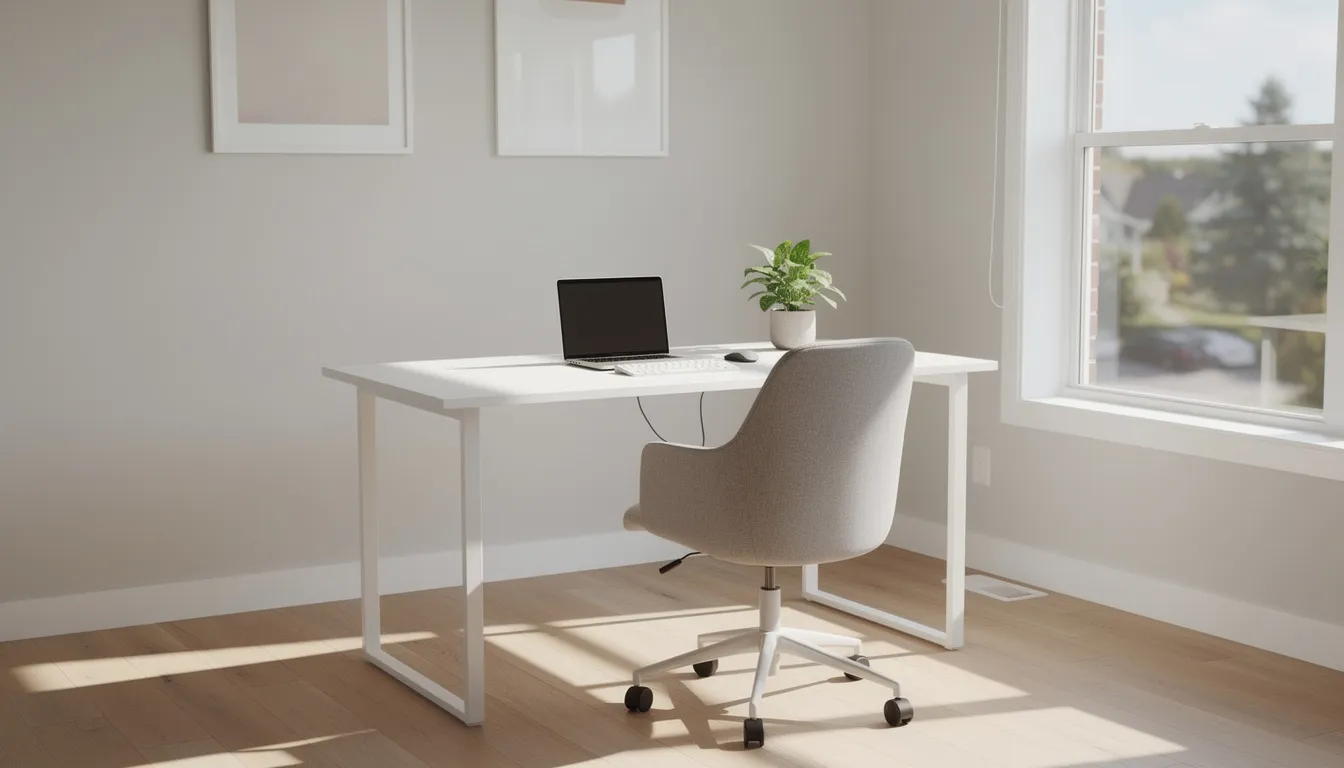
Desk Types at a Glance: Standing, Executive, Corner, and Bench
Before diving into details, let’s establish a quick overview of the four main desk families we’ll explore:
|
Desk Type |
Definition |
Best-Use Example |
|---|---|---|
|
Standing |
Height adjustable from sitting to standing positions (typically 22–48 inches) |
Solo knowledge worker at home handling 6–8 hours of screen time daily |
|
Executive |
Large rectangular surface with built-in drawers and premium materials |
Business owner in a private office who hosts client meetings |
|
Corner/L-Shaped |
Surfaces meeting at 90 degrees to fit snugly in room corners |
Content creator with dual monitors and limited space in a spare bedroom |
|
Bench |
Long, continuous work surfaces designed for multiple users |
4–8 person marketing team in an open-plan office |
Each type serves distinct needs. Later sections go deeper into sizing, ideal users, and example setups. For now, consider which one or two types align with your 2026 goals before reading further.
Standing Desks: For Health, Energy, and Hybrid Work
Height adjustable desks have moved from niche wellness products to mainstream furniture between 2021 and 2024. In 2026, they represent one of the most popular upgrades for remote and hybrid workers, and for good reason. Research suggests that standing desks can reduce back pain by up to 32% and contribute to productivity gains of around 13% according to some Cornell University studies.
The key benefits center on movement and energy:
-
More movement during 8+ hour workdays, breaking the sedentary cycle
-
Reduced back and neck strain by alternating postures throughout the day
-
Better focus during afternoon slumps when standing naturally increases alertness
-
Flexibility for hybrid households where multiple family members can use programmable heights
For 2026, look for standing desks with these specifications:
-
Width: 48–72 inches to accommodate your computer and accessories
-
Depth: 24–30 inches for comfortable monitor distance
-
Height range: Approximately 22–48 inches to serve most adults in both sitting and standing positions
-
Features: Dual-motor frames, memory presets (at least 3–4), cable management grommets, and load capacities supporting 2–3 monitors plus a laptop
To align with your New Year goals, consider scheduling standing “blocks”, perhaps 25–45 minutes standing followed by 15–30 minutes sitting. Use January to experiment with a routine that works for your life and job demands.
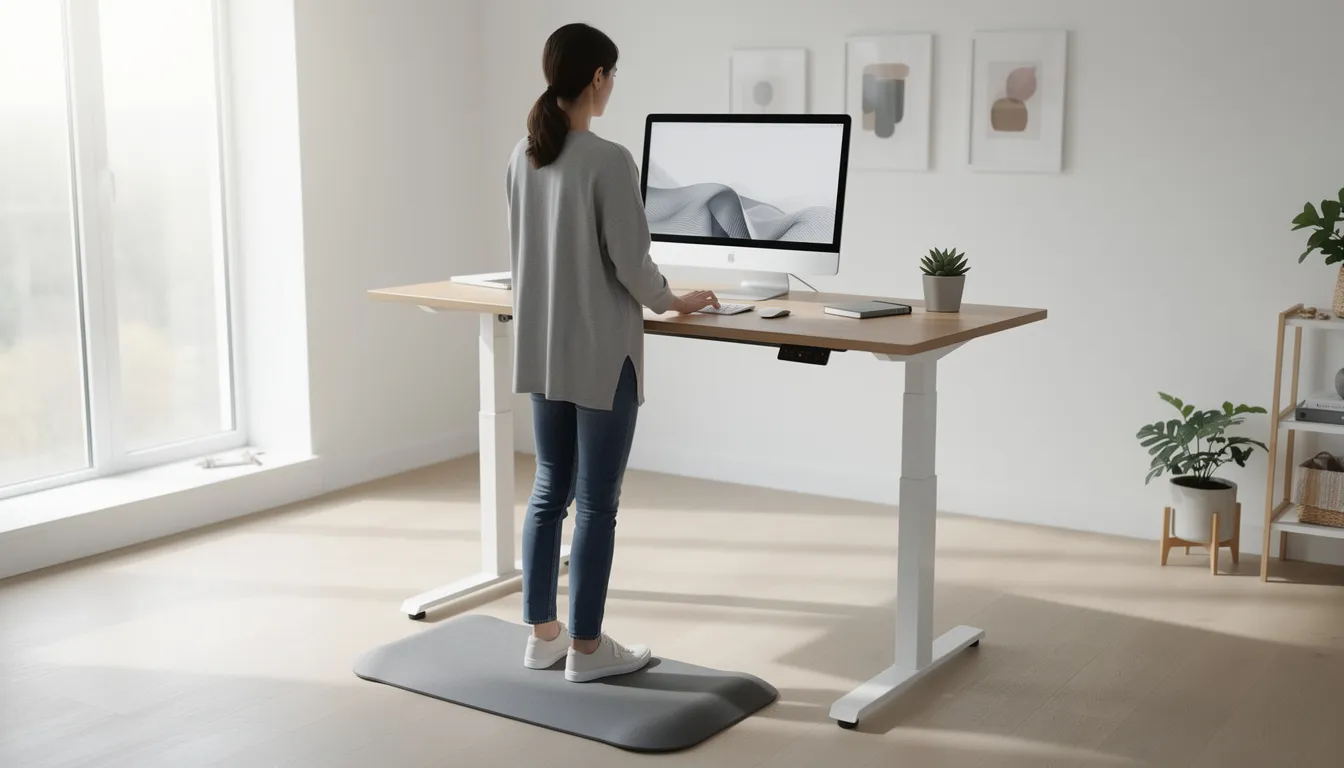
Who Should Choose a Standing Desk in 2026?
Standing desks fit perfectly for:
-
Remote workers spending 5–6 days a week at home
-
Software developers, designers, and writers with long uninterrupted work sessions
-
Anyone with a 2026 health resolution to reduce sedentary time
-
Hybrid employees who want functional equipment at home matching their office setup
Concrete scenario: Consider a hybrid employee working 3 days from a 10×12 ft home office. After several years of remote work, they’ve noticed more back discomfort and want to reduce sedentary time. A standing desk in the 60-inch width range gives them more surface space for a dual-monitor setup while enabling posture changes throughout the day.
Standing desks work best when paired with an adjustable chair and optionally an anti-fatigue mat. They’re not meant as a 100% standing solution, the goal is movement variety, not standing endurance.
For small spaces like studio apartments, standing desks can double as shared family workstations with programmable heights for multiple users, making them a practical choice when you need to maximize space for different activities.
New Year Setup Tips for Standing Desks
Here’s a practical checklist for setting up your standing desk in January:
-
Measure your elbow height while standing relaxed with arms at 90 degrees—this becomes your primary standing preset
-
Position monitors so the top edge sits at or slightly below eye level when standing
-
Route cables through grommets or channels before putting anything on the desk surface
-
Set up 3–4 height presets for different activities:
-
Morning deep work (sitting)
-
Afternoon standing calls
-
Evening light tasks (sitting lower)
-
Collaborative standing sessions
-
Additional tips for a clean design:
-
Use a single power strip mounted under the desk to reduce clutter
-
Label cables at the start of the year to simplify future adjustments
-
Keep the surface minimal, only daily office essentials belong on top
Encourage yourself to take a “before and after” note of comfort and productivity over the first 30 days of use in 2026. This simple practice helps you refine your routine and confirm the investment was worthwhile.
Executive Desks: For Status, Storage, and Deep-Focus Work
The executive desk carries a legacy stretching back centuries. In the 17th century, these desks became symbols of wealth for merchants, officials, and scholars, crafted from premium woods like mahogany and walnut. That tradition continues today, with executive desks representing professional authority and organizational capability.
Classic executive desks feature:
-
Large rectangular surfaces (often 60–72 inches wide, 30–36 inches deep)
-
Built-in drawers and pedestal storage
-
Premium finishes like solid wood, veneer, or high-quality laminate
-
Generous knee clearance and modesty panels
For 2026 upgrades, executive desks appeal to professionals who need a commanding video-call backdrop, host occasional client visits, or manage multi-project work involving physical materials. Design trends this year favor walnut finishes, matte black hardware, and integrated cable concealment for that modern sleek appearance.
If your New Year goals include career progression, professional image enhancement, or taking on expanded responsibilities, an executive desk signals seriousness about your job. It’s not just furniture, it’s a statement about how you approach your work.
Who Should Choose an Executive Desk in 2026?
Executive desks are ideal for:
-
Business owners and managers with dedicated office space
-
Attorneys, consultants, and financial professionals
-
Anyone hosting in-person meetings or client visits
-
Professionals who handle physical files, notebooks, and reference books alongside digital tools
Concrete scenario: A small-business owner outfitting a 12×14 ft office needs both a computer zone and a clear area for signing documents and reviewing contracts with clients. An executive desk provides the surface space for both functions, with drawers keeping papers organized and the wood finish creating the right impression.
Executive desks pair well with a separate small meeting table or credenza if the room allows. This supports plans for more collaborative sessions while maintaining the authoritative feel of the primary workspace.
New Year Setup Tips for Executive Desks
Use January as a fresh start to create a “paper zones” layout:
-
Drawer 1: Active projects requiring weekly attention
-
Drawer 2: Reference materials and ongoing documentation
-
Drawer 3: Supplies, accessories, and less-frequently-used items
For monitor placement, position screens toward the back of the desk so the front edge stays relatively clear. This creates space for visitors, signing contracts, or reviewing printed reports, functionality that matters for leadership roles.
To maintain that premium appearance:
-
Invest in a cable-management channel or under-desk power strip so wood surfaces stay clean during video calls
-
Add one or two quality desk lights to emphasize the executive look and reduce eye strain during winter months
-
Consider lighting that enhances the natural warmth of wood materials
The goal is creating a workspace that looks as professional as it functions, a great place to start with confidence.
Corner and L-Shaped Desks: For Space Optimization and Multi-Monitor Setups
Corner desks and L-shaped configurations meet at a right angle to fit snugly into room corners that might otherwise go unused. They’ve become essential for content creators, remote workers in small apartments, and anyone turning a spare bedroom into a dedicated workspace.
These desks excel at making limited space work harder. Typical dimensions include:
-
Length per side: 47–71 inches
-
Depth: 20–30 inches
-
Designed for: Standard 10×10 or 10×12 ft rooms
The advantages for setups include:
-
Distinct zones for computer work and writing or paperwork
-
Improved cable routing along corner channels
-
Better utilization of otherwise wasted corner areas
-
Capacity for 2–3 monitor setups with room to spare
Many modern L-shaped desks now include modest closed storage, built-in shelves, and cable trays suited for multi-monitor configurations. They offer a balance between the expansive feel of an executive desk and the compact efficiency needed in small spaces.

Who Should Choose a Corner or L-Shaped Desk?
Corner desks fit perfectly for:
-
Professionals using 2–3 27-inch monitors who need more space
-
Gamers with console plus PC setups (yes, gaming desks often take this shape)
-
Remote workers sharing one room for both work and hobbies
-
Anyone in a studio or one-bedroom apartment where only one corner is available
Concrete scenario: A remote worker uses one side of the L-shaped desk for a corporate laptop with docking station, while the other side holds a personal desktop for creative work or homework help with kids in the evening. This separation keeps work and personal life distinct even when they share the same room.
L-shaped desks are also great choices when you need to keep a guest bed in the same room but still want a serious workstation. The corner placement minimizes the desk’s visual footprint while maximizing surface space.
New Year Setup Tips for Corner Desks
Start by mapping out your room on paper in early January:
-
Mark door swings, windows, and outlet locations
-
Measure the exact corner dimensions available
-
Note where natural light falls throughout the day
For optimal setup:
-
Place the main monitor side where natural light doesn’t cause glare
-
Use the other side for writing, note-taking, or positioning a printer
-
Run cable channels along the back corner to hide wires from video meeting views
-
Dedicate one leg of the L to long-term projects, perhaps a display for a second computer, reference books, or a physical Kanban board
This separation helps you maintain a clean primary workspace while keeping important materials within arm’s reach. The corner shape naturally creates these zones without requiring additional furniture.
Bench Desks and Shared Workstations: For Teams and Flexible Offices
Bench desks consist of long, continuous work surfaces designed for multiple people, typically seen in open-plan offices and coworking spaces. They became popular again in 2023–2024 as companies redesigned offices for hybrid schedules and hoteling desk arrangements, a trend continuing strongly into 2026.
Typical bench specifications include:
-
Length: 72–144 inches or more (accommodating 2–4 people per side)
-
Depth: 24–30 inches per side for double-sided configurations
-
Features: Shared central cable channels, modular construction, easy reconfiguration
The open concept approach of benching systems supports specific goals:
-
Faster team communication without barriers
-
Flexible seating for fluctuating headcounts
-
Cost efficiency (per-user costs typically 20–30% lower than individual desks)
-
Alignment with hybrid work policies requiring adaptable spaces
Research from companies like Google showed that benching arrangements improved collaboration metrics by 20% in internal surveys. For organizations planning to grow or restructure in 2026, bench desks provide the adaptability to scale without major furniture overhauls.
Key accessories for bench setups include clamp-on dividers for privacy when needed, desk-mounted power modules with USB-C, and monitor arms for each user station.
Who Should Choose a Bench or Shared Desk System in 2026?
Bench workstations suit:
-
Startup teams prioritizing collaboration over individual space
-
Small agencies with project-based work
-
Departments rotating in-office days across the workweek
-
Organizations with marketing preferences for open, dynamic environments
Concrete scenario: A marketing team of six redesigns their office with a 12-foot bench that seats three people per side. Team members work in-office on overlapping days, making benching more practical than assigned individual desks that would sit empty half the week.
Bench desks also work as project tables or hot-desking areas. However, they’re generally less suitable for confidential work unless paired with privacy panels and separate meeting rooms nearby.
New Year Setup Tips for Bench Workstations
For a smooth 2026 launch with bench desks:
-
Create a seating plan for January–June that accounts for hybrid schedules and shared equipment like monitors and docking stations
-
Centralize power and network access down the middle of the bench so each seat has easy reach to outlets and data ports
-
Color-code cable ties, monitor arms, or desk organizers by team member or department for clarity
-
Establish written desk-sharing guidelines at the start:
-
Clear desk policies for end of day
-
Monitor and equipment assignment rules
-
Personal storage expectations
-
These details matter more than you might expect. Clear guidelines prevent friction and help teams focus on work rather than logistics.
Choosing the Right Desk Size and Shape for Your Space
Selecting the right desk starts with understanding your room, not just your preferences. Here’s how to match desk dimensions to common space configurations:
|
Room Size |
Desk Type Recommendations |
Width Range |
|---|---|---|
|
8×10 ft (small bedroom office) |
Corner desk or compact rectangular |
40–55 inches |
|
10×12 ft (dedicated home office) |
Standing desk, L-shaped, or mid-size executive |
48–66 inches |
|
14×18 ft (executive suite) |
Full executive desk with credenza, or U-shaped |
66–72+ inches |
Critical clearance considerations:
-
Leave at least 30–36 inches behind the desk for a chair and walking space
-
Account for door swing patterns, nothing’s more frustrating than a desk that blocks full door opening
-
Position desks to take advantage of natural lighting without direct glare on monitors
Shape selection guide:
-
Rectangular: Simple setups with one computer and minimal paperwork
-
L-shaped: Dual-purpose work areas or multi-monitor configurations
-
U-shaped: Heavy paperwork, reference materials, and equipment-intensive roles
-
Benching: Teams of 4+ sharing collaborative space
Don’t forget to plan for storage furniture like filing cabinets and bookcases when measuring. The desk alone doesn’t define your workspace, the complete furniture collection does.
Ergonomics and Comfort: Making Any Desk Work for You in 2026
Even the most beautiful desk fails if the ergonomics are poor. With 6–9 hours of daily computer use common in 2025, proper setup matters for both productivity and long-term health. Studies indicate that poor workstation setups contribute to 1.5 million annual work-related musculoskeletal disorders in the U.S. alone.
Core posture guidelines:
-
Keep elbows at roughly 90–100 degrees when typing
-
Position the top of monitors near eye level (or slightly below)
-
Maintain feet flat on the floor or on a footrest
-
Ensure legs have clearance to move freely under the desk
Desk height references:
-
Sitting: 28–30 inches for most adults
-
Standing: Adjustable up to mid-chest level (typically 42–48 inches)
To make any desk type work for your goals, pair it with:
-
An ergonomic chair with adjustable lumbar support
-
External keyboard and mouse (especially for laptop users)
-
Monitor arms when using multiple displays
-
Adequate lighting to reduce eye strain
As part of your New Year health goals, build micro-break habits into your routine. Simple practices like stretching every 45–60 minutes and changing posture frequently make a significant difference over months of work.
New Year Office Desk Checklist
Use this quick-scan checklist before your 2026 desk upgrade:
Space Checks
-
[ ] Confirm room size in feet (length × width)
-
[ ] Note door swing direction and clearance needed
-
[ ] Identify window positions for natural light optimization
-
[ ] Locate all outlet positions for power planning
Function Checks
-
[ ] Count the number of monitors you’ll use (1, 2, or 3+)
-
[ ] Determine if laptop docking is required
-
[ ] Assess paper storage requirements (minimal, moderate, extensive)
-
[ ] Decide if height adjustability for standing is a priority
Style and Finish Checks
-
[ ] Match desk materials to existing furniture (white, black, oak, walnut, etc.)
-
[ ] Consider 2025 decor trends like matte hardware and warm wood tones
-
[ ] Evaluate whether decorative items will complement the desk style
-
[ ] Check that the desk shape aligns with your room’s visual flow
Go-Live Target
-
[ ] Set a specific date in January or February to have the new desk fully installed
-
[ ] Plan cable management before the desk arrives
-
[ ] Schedule a 30-day review to assess comfort and functionality
If you have any questions or need assistance in bringing a new office set up to life in 2026, contact us today!
FAQ: Office Desks for 2026
Q: What is a good desk depth for multiple monitors?
We recommend 28–30 inches of depth for dual or triple 27-inch monitors. This provides enough distance for comfortable viewing (typically 20–26 inches from eyes to screen) while leaving space for a keyboard, mouse, and notepad in front. Anything less than 24 inches makes multi-monitor setups feel cramped.
Q: Is it still worth paying extra for a motorized standing desk frame?
Dual-motor frames are widely available at mid-range prices and offer meaningful advantages. They provide smoother, quieter height changes (important for video calls) and better stability than manual crank options. For anyone planning frequent sitting–standing transitions, the investment pays off in convenience and durability over the desk’s lifespan.
Q: How can I make a basic rectangular desk feel more like an executive setup?
You don’t necessarily need to replace the table. Add a matching storage credenza or bookcase with shelves behind or beside the desk. Invest in a quality desk lamp with warm lighting. Install a cable-management system to eliminate visual clutter. Finally, position a well-organized backdrop for video calls: books, plants, or simple artwork. These ideas create an executive feel with existing furniture.
Q: What’s the minimum desk width for a comfortable home office in a small apartment?
For a laptop plus external monitor setup, we recommend at least 40–48 inches of width with 24 inches of depth. This configuration leaves enough surface for writing, keeping a phone within reach, and storing a few essential accessories. Anything narrower forces uncomfortable compromises that affect daily functionality.
Q: How long should I expect a quality office desk to last?
A well-built desk from reputable manufacturers, especially those using solid wood, metal frames, or high-grade laminate, can reasonably last 7–15 years with normal office use. Protect the surface from moisture, avoid exceeding weight limits, and maintain hardware (tightening screws periodically). Quality materials matter more than brand names; check reviews for real-world durability feedback before putting down your budget on any particular model.
As you step into 2026, the desk you choose becomes the foundation for everything else in your workspace. Whether you’re standing through morning focus blocks, commanding an executive setup, optimizing a corner, or collaborating at a bench, the right desk supports your goals, not just your laptop. Take measurements this week, review your priorities, and set a specific date to make the upgrade happen. Your 2026 self will thank you.