


Height Adjustable Desk: 5 Benefits & Setup Tips
Key Takeaways
-
Modern height adjustable desks, popularized as electric models around 2014–2016, help combat the health problems associated with sitting for 8+ hours daily.
-
The five core benefits include reduced back and neck pain, better posture, higher energy and focus, more movement throughout the day, and long-term health support.
-
Choosing the right desk requires evaluating size, motor type, weight capacity, height range, and warranty coverage before purchasing.
-
Proper ergonomic setup means dialing in both sitting and standing heights based on your elbow angle and screen position—not guessing.
-
This guide ends with a practical FAQ covering cost, noise level, shared use, and safety questions to help you make a confident decision.
What Is a Height Adjustable Desk?
A height adjustable desk, also called a sit stand desk or standing desk, is a workstation that lets you raise and lower the desktop to switch between sitting and standing positions throughout your workday. Electric models became mainstream in offices and home office spaces around 2015, driven by growing awareness of sedentary health risks and improvements in motor technology.
The basic mechanism relies on either electric dual motor desks or a manual crank system that raises and lowers a rectangular or L-shaped desktop. Electric standing desks use motorized legs controlled by a keypad, often with memory presets to save your preferred heights for quick switching. Manual options use a hand crank, which costs less but requires more effort to adjust.
Throughout this article, the terms “height adjustable desk,” “standing desk,” and “sit stand desk” are used as practical synonyms, with electric desks as the primary focus since they dominate the modern market.
For concrete reference points, most height adjustable standing desks offer a height range of roughly 22–49 inches, covering both seated and standing positions for users of various statures. Standard desktop sizes include 48x24 inches for compact setups and 60x30 or 72x30 inches for those needing space for multiple monitors or paperwork.
5 Benefits of Height Adjustable Desks
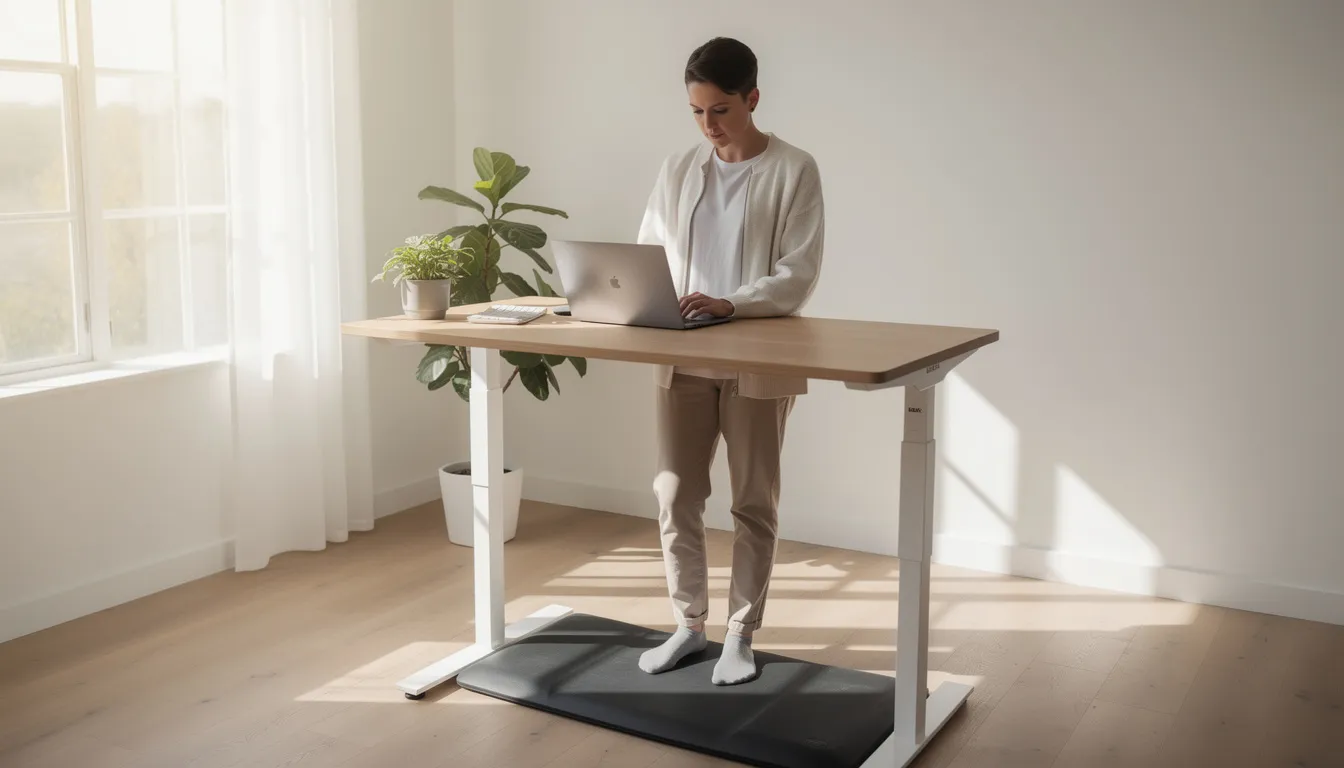
This section covers the core reasons people invest in a height adjustable desk. The five benefits that matter most are: reduced back and neck pain, better posture and ergonomic alignment, more energy and focus through the day, encouragement of movement and active work habits, and long-term health support.
Each benefit is backed by practical examples and current research, focusing on everyday scenarios like remote work, hybrid offices, and long hours at a computer.
Benefit 1: Reduced Back and Neck Pain
Alternating between sitting and standing throughout the day decreases pressure on your lumbar discs compared to sitting for 8+ hours at a traditional fixed desk. When you sit for long periods, your spine compresses and muscles tighten, especially in the lower back. Standing at intervals allows these structures to decompress and reset.
Consider a software developer working 9:00–17:00 who stands for 10–15 minutes every hour. After a few weeks, they typically report less lower-back tightness and reduced stiffness at the end of the workday. Research integrated into ergonomic desk design suggests that sit-stand users experience up to 54% lower risk of low-back pain after one year of regular use.
Height adjustable desks also make it easier to bring screens to eye level, cutting down on neck flexion and shoulder hunching that cause neck pain over time. When your desk height matches your body, you stop craning your head forward to see your monitor.
A desk alone won’t fix serious injuries, but it can support physical therapy or chiropractic care by reducing daily strain. For the full benefit, pair your adjustable desk with an ergonomic chair and a monitor arm to address both neck and back comfort comprehensively.
Benefit 2: Better Posture and Ergonomic Alignment
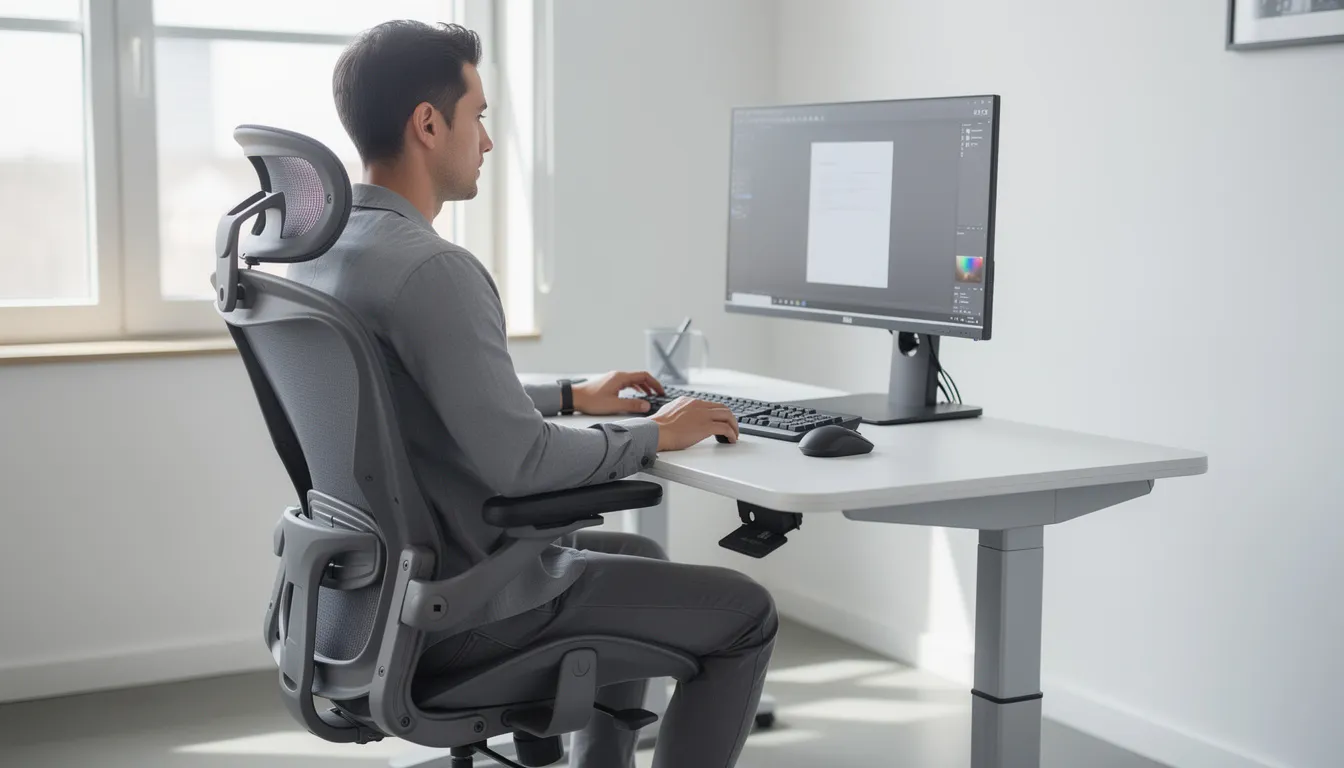
Good posture at the desk means a neutral spine, relaxed shoulders, elbows at roughly 90 degrees, and wrists in a straight line with your forearms. Achieving this requires a workstation that adjusts to you—not the other way around.
A desk with precise height adjustments (in 0.1–0.2 inch increments, common in quality electric standing desks) lets you dial in ideal elbow and wrist angles for both typing and mouse work. This precision matters because even half an inch too high or too low can cause strain over long hours.
Here’s a quick formula: your standing height should place the desk surface roughly at elbow height when your arms hang naturally at your sides and bend to 90 degrees. For sitting, the same elbow angle applies, with feet flat on the floor.
Two people of different heights—say 5’2” and 6’2”—can share one desk by saving their own presets on a programmable keypad. This makes height adjustable standing desks ideal for shared workspaces or partner home offices.
Better posture is a cumulative benefit. You won’t feel dramatically different on day one, but over months of use, you’ll notice less fatigue, fewer headaches, and reduced tension in your shoulders and neck.
Benefit 3: More Energy and Focus Through the Day
Standing increases light movement and boosts circulation compared to remaining fully sedentary. This helps fight the afternoon energy crash that typically hits between 14:00 and 16:00, when productivity often dips.
An effective routine might look like this: start the morning sitting for focused work, stand during virtual meetings before lunch, sit again for deep-focus tasks in the early afternoon, and stand for short bursts while handling email or lighter tasks late in the day.
Observational findings suggest that users feel less drowsy and more mentally alert when they stand for short intervals, especially during long video calls. The act of switching positions seems to signal your brain that it’s time to re-engage.
Gradual changes work best. Start with 5–10 minutes of standing per hour and adjust based on your personal comfort rather than forcing long standing sessions from day one. Pushing too hard too fast leads to fatigue, not productivity.
This benefit proves especially valuable for remote workers who lost natural movement from commuting and walking between meeting rooms after 2020. A standup desk brings back some of that incidental activity without requiring you to leave your workspace.
Benefit 4: Encourages Movement and Active Work Habits
The main health advantage isn’t standing all day—it’s the ability to easily change postures and switch positions frequently throughout an 8-hour workday. Movement, even subtle movement, keeps your body engaged.
When you stand, you naturally add micro-movements: stretching your calves, shifting weight between feet, using a small balance board, or gently stepping in place while reading. These small actions add up, helping you burn more calories and keeping joints from stiffening.
Many keypads include programmable reminders that prompt you to switch positions every 30–60 minutes. Some third-party apps provide similar functionality, buzzing your phone or watch when it’s time to adjust.
Movement helps reduce stiffness in hips and shoulders that often develops from long static sitting, a pattern that starts in early adulthood and compounds over decades. The earlier you interrupt this pattern, the better.
The goal isn’t a visible workout at your desk—movement can remain subtle and office-appropriate. A slight shift, a stretch, a few seconds on your toes. These micro-movements make a measurable difference in how you feel by the end of the workday.
Benefit 5: Long-Term Health Support
Research from the 2010s and early 2020s links prolonged sedentary time to higher risk of type 2 diabetes, cardiovascular disease, and other chronic conditions. Studies suggest that excessive sitting correlates with a 147% increased cardiovascular disease risk, while sit-stand users who reduce sedentary time by 60–90 minutes daily may lower type 2 diabetes risk significantly.
A height adjustable desk is not a medical treatment. It’s a practical tool to break up long uninterrupted sitting periods during workdays—something that directly addresses one of the key risk factors identified in this research.
Consistently alternating between sitting and standing makes it easier to incorporate other healthy habits like short walking breaks or stretching routines. When you’re already in the habit of moving, adding a 2–3 minute walk each hour feels natural rather than disruptive.
Consider a professional who works 40–50 hours per week at a computer. Using an adjustable standing desk, they might fit in 60–90 extra minutes of standing and light movement each day—time that would otherwise be spent completely stationary.
The desk is one component of a broader healthy lifestyle that also includes sleep, nutrition, and regular exercise. It won’t replace a gym membership, but it removes one significant barrier to better health: the forced immobility of a fixed-height workstation.
How to Choose the Right Height Adjustable Desk
The market includes many options launched in the last decade, from entry-level electric frames under $400 to premium solid-wood models exceeding $1,500. Understanding key specs helps you avoid overpaying for features you don’t need—or underpaying for a desk that won’t last.
This section covers desktop size, frame stability, motor type, weight capacity, noise level, controls, materials, and warranty coverage. Before comparing desks, jot down your room dimensions and equipment list (monitors, PC, peripherals) to ensure any model you consider actually fits your space and supports your setup.
Desk Size, Shape, and Workspace Planning
Common desktop sizes serve different needs:
|
Desktop Size |
Best For |
|---|---|
|
48x24 inches |
Compact setups, single monitor, limited room |
|
60x30 inches |
Dual monitors, paperwork, typical home office |
|
72x30 inches |
Multiple monitors, design work, extra accessories |
L-shaped height adjustable desks work well for corner offices or design studios that need separate keyboard and drawing areas. They maximize space but require more room and typically cost more than rectangular desktops.
Measure wall length and depth carefully. Leave clearance for the desk to rise without hitting windowsills, shelves, or overhead cabinets. Many users forget to check vertical clearance until assembly day.
Plan for cable slack too. Monitor and power cables need enough length to accommodate full height travel without strain—typically an extra 12–18 inches beyond what you’d need for a fixed desk.
Choose slightly more surface area than you currently need. Adding a second monitor, audio interface, or document holder later is common, and desktops are expensive to swap.
Frame Stability, Height Range, and Load Capacity
A rigid steel frame with a crossbar or equivalent engineering improves stability, especially above 42 inches in height. Cheaper frames may wobble when you type at standing height, which is distracting and can affect precision work.
For the height range, look for approximately 23–49 inches to cover both shorter seated users and taller standing users. If you’re below average height (under 5’4”) or tall (over 6’2”), verify the range covers your needs at both extremes.
Weight capacity matters more than many buyers realize:
|
Equipment |
Typical Weight |
|---|---|
|
27” monitor |
10–15 lbs |
|
Desktop tower PC |
20–35 lbs |
|
Solid wood top (60x30) |
50–80 lbs |
|
Monitor arm |
5–10 lbs |
|
Accessories (lamp, speakers, etc.) |
10–20 lbs |
Users with dual monitors, a desktop tower, and accessories should look for 200+ lbs capacity to maintain a safety margin. Heavier laminate or hardwood tabletops combined with monitor arms and speakers can approach rated limits on lighter frames.
Check reviews that specifically mention wobble when typing or when the desk reaches maximum standing height. Stability at full extension reveals frame quality more than any spec sheet.
Motor Type, Speed, and Noise Level
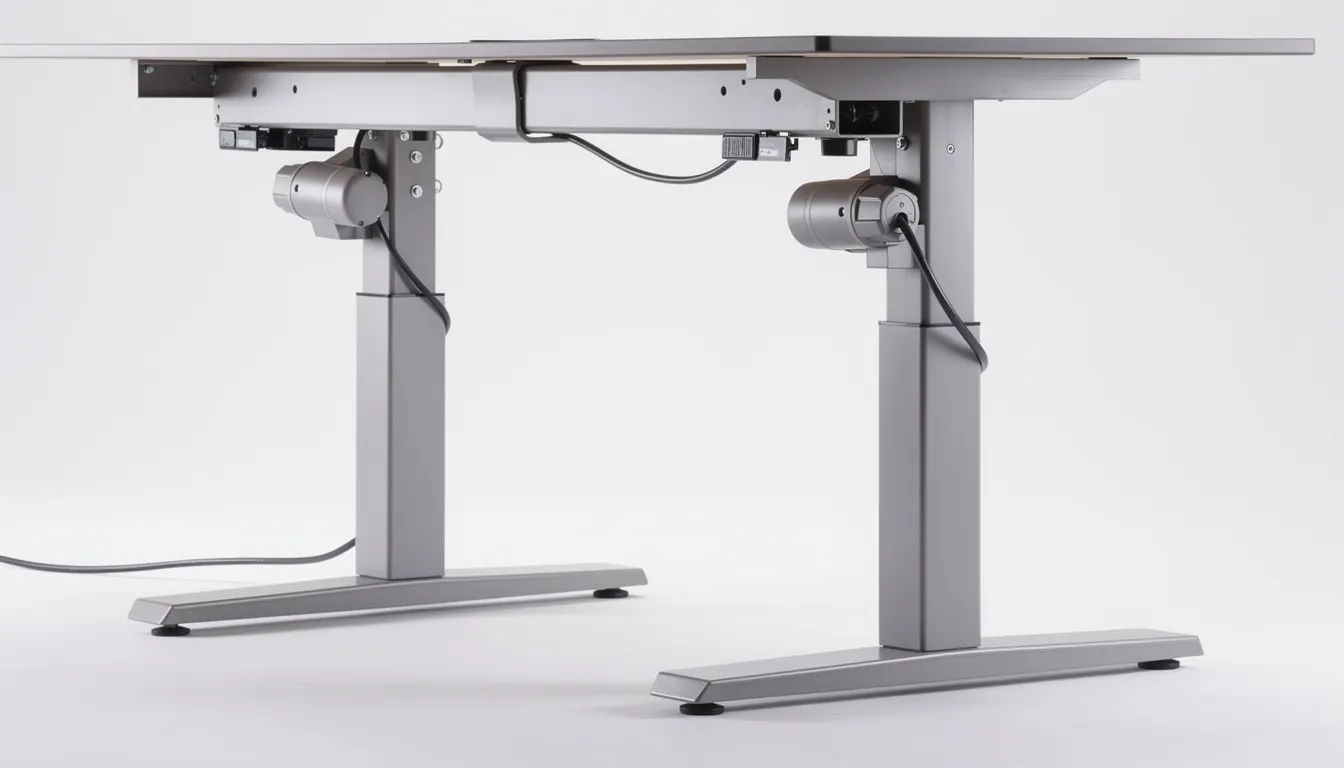
Single motor desks use one motor to drive both legs, while dual motor desks give each leg its own motor. Dual motorized legs typically lift more smoothly and quickly, especially with heavier loads, and tend to last longer under daily use.
Lift speeds typically range from 1.0 to 1.5 inches per second. At 1.5 inches per second, transitioning from sitting to standing height takes about 15 seconds—quick enough that you’ll actually use the feature regularly.
Noise matters in shared spaces or when recording audio. Quality desks often operate below 50 decibels, comparable to a quiet conversation or background fan. Cheaper motors can reach 60+ decibels, which becomes noticeable during video calls.
Look for soft-start and soft-stop behavior that prevents sudden jolts. The desk should accelerate smoothly from rest and decelerate gently before stopping at your preset height. Jerky movement stresses the motor and can spill drinks or jostle monitors.
If you adjust frequently during meetings or recordings, prioritize quieter motors. A few extra seconds of audible movement won’t disturb anyone, but a loud grinding noise will.
Controls, Memory Presets, and Safety Features
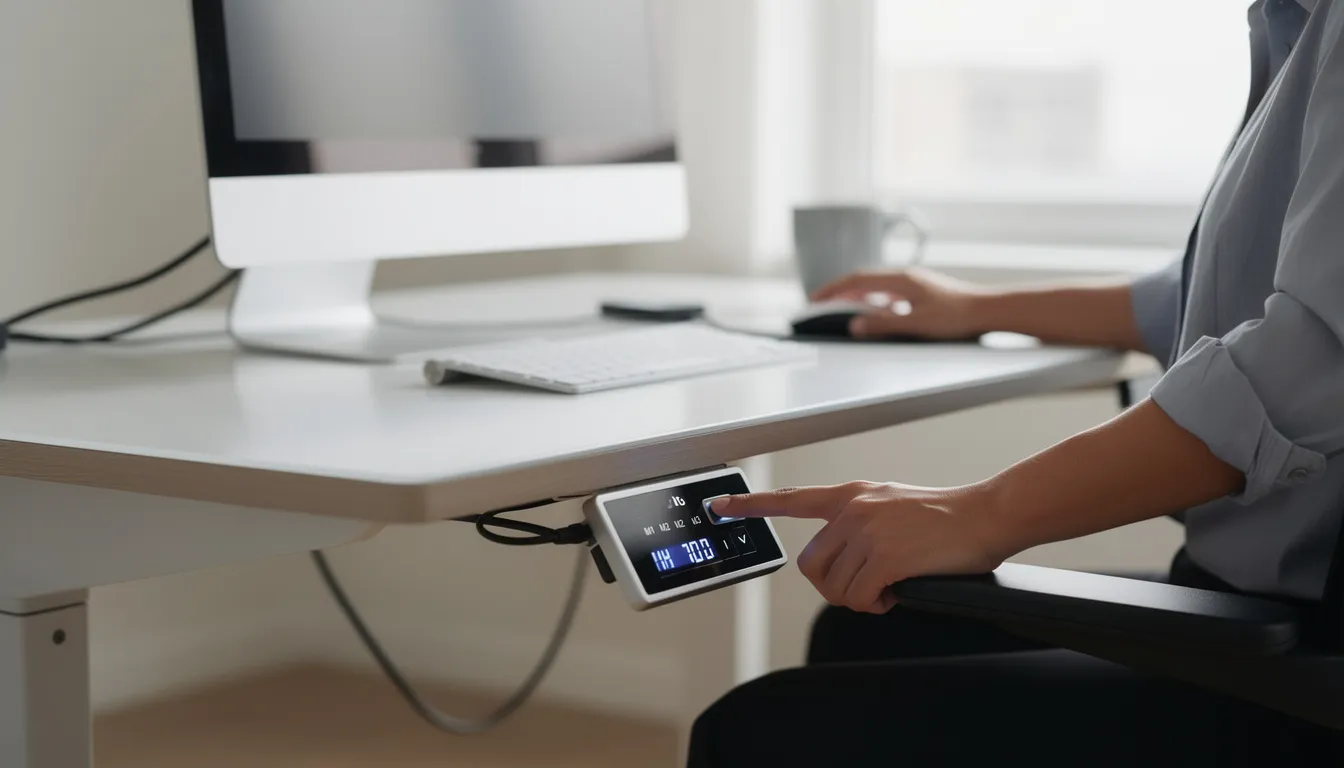
Basic control panels offer simple up/down buttons, while advanced keypads include digital displays and 3–4 memory presets for one-touch height changes. For most users, memory presets are worth the upgrade—manually holding a button and eyeballing height gets old quickly.
If you share a desk with a partner or roommate, choose a model with at least three presets: your sitting height, your standing height, and one for the other person. Four presets allow both users to save sit and stand positions separately.
Anti-collision technology reverses the motor direction when the desk hits an obstruction like a chair arm or filing cabinet. This prevents damage to both the desk and your furniture. Most quality desks include this feature, but verify before purchasing.
Child lock functions on the keypad prevent accidental adjustments in homes with kids or curious pets. Place the control panel where it’s easy to reach while seated but unlikely to be bumped by knees or pulled drawers.
Materials, Aesthetics, and Warranty Considerations
Desktop materials offer different tradeoffs:
|
Material |
Pros |
Cons |
|---|---|---|
|
Laminate |
Affordable, scratch-resistant, many laminate options |
Can look generic, edges may peel |
|
Bamboo |
Eco-friendly, attractive grain |
Lighter weight, can dent |
|
Solid hardwood (walnut, oak) |
Premium look, durable |
Heavy, expensive, requires care |
Consider your existing room décor. White or light oak tops suit bright modern design spaces, while darker walnut tones work in traditional offices. Many manufacturers offer customization options for edge style and surface finish.
Warranty length matters for a product you’ll use daily for years. Look for multi-year coverage on both electronics (motor, controller) and frame components. Premium brands often offer 5–10 year warranties, reflecting confidence in build quality.
Quality desks publish clear load ratings and safety certifications. Vague specifications or missing documentation can signal corners cut in manufacturing. Customer service team responsiveness also matters—check reviews mentioning warranty claims or support interactions.
Real customer reviews that mention long-term durability are more valuable than day-one impressions. Look for comments about how desktops hold up after 1–2 years: resistance to stains, dents, and peeling edges.
How to Set Up and Use Your Height Adjustable Desk Ergonomically
Correct setup is as important as choosing the right desk. A $1,500 workstation won’t help your posture if the height is wrong and your monitor sits at the wrong level. This section provides step-by-step guidance for dialing in both positions and building healthy habits.
Dialing In the Right Sitting Height
Adjust your desk height so your elbows bend at roughly 90 degrees with forearms parallel to the floor and wrists in a neutral, straight line. This position minimizes strain on shoulders, arms, and wrists during long hours of typing.
Your feet should rest flat on the floor. Shorter users may need a small footrest if even the lowest desk setting is slightly high for their chair. Don’t dangle your feet—it restricts circulation and causes hip discomfort.
Position your keyboard and mouse close to your body, about 1–2 inches from the desk edge. Reaching forward creates shoulder tension that builds throughout the workday.
Save your ideal sitting height to the first memory preset on the control panel. This makes switching from standing back to sitting a one-button operation.
Fine-tune over a few days. Make small adjustments of 0.2–0.4 inches if you notice discomfort in your wrists, shoulders, or neck. What feels right on day one may need tweaking by day three.
Dialing In the Right Standing Height
Stand with feet hip-width apart and shoulders relaxed. Again, aim for roughly 90-degree elbow angles while typing, with wrists straight and neutral.
The quick reference rule: set the desk so the top surface sits close to your elbow height when arms hang naturally at your sides and bend to 90 degrees. For most people of average height, this lands somewhere between 38–44 inches.
Use an anti-fatigue mat to reduce pressure on feet and knees, especially on hard floors like tile or concrete. A good mat makes 15–20 minute standing sessions noticeably more comfortable.
Save this standing position to a separate memory preset. Switching between sit and stand should take only a few seconds—any friction in the process reduces how often you’ll actually use the feature.
Avoid locking your knees while standing. Keep a slight bend and shift your weight periodically. This prevents fatigue and keeps blood circulating through your legs.
Monitor, Keyboard, and Accessory Positioning
The top of your main monitor should sit at or slightly below eye level, with the screen about an arm’s length away. This prevents both neck flexion (looking down) and extension (looking up).
Monitor arms keep screen height consistent when the desk moves, eliminating the need to re-stack risers or books every time you switch positions. They also free up desk space and allow easy angle adjustments.
Place your keyboard and mouse on the same plane to keep wrists straight and reduce strain. Keyboard trays can help if your desk surface is too high even at its lowest setting, but they’re not necessary for most setups.
Group frequently used items—notebooks, phone stand, stylus—within easy reach so you don’t twist or lean repeatedly. Every time you reach across your body, you create asymmetric strain.
Basic cable management keeps wires tidy and prevents snagging when the desk moves. A simple cable management tray mounted under the desktop handles most setups. Leave a gentle loop of slack near equipment to accommodate full height adjustments.
Creating a Healthy Sit-Stand Routine
Start with a simple pattern: 20–30 minutes sitting followed by 5–10 minutes standing, repeated throughout the workday. This ratio works for most beginners without causing foot fatigue.
Comfort should guide your routine choices. Standing all day is not automatically better than sitting—the goal is frequent position changes, not maximum standing time. Listen to your body and sit when you need to.
Use digital reminders on your phone, watch, or keypad timer to prompt position changes. Relying on memory rarely works during focused work or busy meeting days.
Realistic tips for busy schedules:
-
Stand during email triage sessions
-
Stand for short video calls (under 30 minutes)
-
Sit for deep-focus tasks requiring intense concentration
-
Stand while reading documents or reviewing reports
Complement sit-stand changes with occasional short walks—a 2–3 minute stroll each hour. Even a trip to refill your water or stretch by a window adds valuable movement to your workday.
Common Mistakes to Avoid With Height Adjustable Desks
Many new users repeat the same errors, limiting the benefits of their new desk investment. These mistakes are easy to prevent once you know what to watch for—and recognizing them can save you time, discomfort, and frustration.
Standing for Too Long, Too Soon
The most common error is trying to stand for several hours from day one. Enthusiasm is understandable, but your feet, knees, and lower back aren’t conditioned for extended standing after years of sitting.
This discomfort often discourages continued use. People conclude the desk “doesn’t work” when the real problem was pushing too hard too fast.
Ramp up gradually over the first 1–2 weeks. Start with 5–10 minutes of standing per hour, increasing by a few minutes each day as comfort allows. Supportive footwear and an anti-fatigue mat make a significant difference.
Sit as soon as you feel overly tired. Flexibility is a strength, not a failure. The desk’s value lies in giving you options, not forcing you to stand through exhaustion.
Ignoring Cable Management and Obstructions
Failing to allow cable slack causes plugs to pull loose or strain ports when the desk reaches full height. This can damage equipment and create frustrating interruptions mid-workday.
Check for hazards under and behind the desk before first use. Low cabinets, printers, window sills, and radiators can all obstruct the desktop’s movement path.
Route cables along the frame using clips or a cable management tray, leaving a gentle loop near equipment. This loop should provide enough slack for full height travel plus a few extra inches.
Test the full range of motion immediately after assembly. Slowly raise the desk to maximum height while watching for snag points or obstacles. Better to discover problems during setup than during a video call.
Secure surge protectors and power strips so they move with the desk rather than staying fixed to the floor. Mount them to the frame or desktop underside.
Overloading the Desk or Using It as a Climbing Surface
Each desk has a rated weight capacity that includes everything on top: monitors, desktop tower, accessories, and any mounted arms. Exceeding this limit strains the motor and can cause premature failure.
Avoid placing extremely heavy items without calculating total weight first. Large printers, multiple monitors, heavy speakers, and a desktop tower can quickly approach rated limits on budget frames.
Users and children should never sit or climb on the moving surface. Frames and motors are engineered for equipment weight distributed across the desktop—not concentrated loads or dynamic forces.
Redistribute equipment if you’re near capacity. Heavy filing boxes, UPS battery backups, and reference books can live on a nearby shelf or under-desk cabinet instead.
Periodically check screws and bolts, especially if the desk carries close to its rated capacity daily. Vibration from motor operation can loosen connections over time.
Not Adjusting Over Time as Needs Change
People often set height presets once during initial setup and never revisit them—even after getting a new chair, upgrading monitors, or developing new discomfort.
Your ideal desk height isn’t fixed forever. A new chair with different seat height, a thicker keyboard, or bifocal glasses all change optimal positions.
Schedule a quick ergonomic “reset” every few months. Recheck elbow angles, screen distance, and wrist positions. Compare them against your saved presets and adjust as needed.
Small changes—even half an inch—can noticeably improve comfort across long workdays. The real power of a height adjustable desk is flexibility. Use it.
FAQ About Height Adjustable Desks
This section addresses common practical questions not fully covered in the main guide. Treat it as a quick reference when comparing desks or troubleshooting your setup.
Are height adjustable desks really worth the extra cost?
Manual crank desks typically start around $200–350, while quality electric standing desks range from $400–800 for mid-tier models and $800–1,500+ for premium options with solid wood tops and advanced features. Standard fixed desks often cost $150–400.
For people spending 30–40 hours weekly at a computer, the comfort and health benefits usually justify the investment over several years. Consider the price spread across 5+ years of daily use.
A longer warranty and stable frame make paying more upfront more economical than replacing a cheaper desk after 18 months. Even budget-conscious buyers often find that a well-chosen entry-level adjustable frame delivers more value than an expensive but fixed-height executive desk.
How noisy are electric height adjustable desks?
Quality desks operate at approximately 40–50 decibels—comparable to a quiet conversation or gentle background fan. You’ll notice the sound, but it won’t disrupt a phone call or wake someone in the next room.
Budget models with single motor systems can reach 55–60+ decibels, which becomes noticeable and potentially disruptive in shared spaces or during recordings.
Adjustments take only 10–20 seconds for a full sit-to-stand transition, so even slightly louder desks don’t disturb others for long. If you record audio or frequently adjust during meetings, prioritize reviews that specifically mention motor noise.
Can two people of different heights share one height adjustable desk?
Shared use is one of the key advantages of electric height adjustable desks. Models with 3–4 memory presets let each person save their sitting and standing heights, switching with a single button instead of measuring each time.
Verify the desk’s height range covers both users comfortably. A 5’0” user might need the desk at 24 inches for sitting, while a 6’4” user needs 48+ inches for standing. Most quality desks accommodate this range, but check specifications.
Monitor arms simplify sharing further by allowing quick repositioning of screens between users without adjusting the desk itself.
Is it safe to use a height adjustable desk around kids and pets?
Basic safety practices apply: supervise children near moving furniture, prevent them from playing under or on the desk, and keep the control panel out of easy reach when possible.
Some desks include anti-collision sensors that stop or reverse movement when hitting an obstruction. These systems help but may not reliably detect very small objects like fingers or paws. Don’t rely on them as a substitute for supervision.
Use child-lock features on the keypad if available, especially in homes with curious toddlers. Test the desk’s stop behavior once by carefully placing a sturdy object in the path during adjustment to understand how the safety system responds.
Do I still need an ergonomic chair if I buy a height adjustable desk?
A height adjustable desk complements but does not replace a supportive chair. Users typically still sit for 50–70% of the workday, making lumbar support, seat adjustability, and armrests as important as ever.
If you’re upgrading both items but budget is limited, prioritize the chair if your current seating is poor. A good chair with a mediocre desk improves comfort more than a great desk with a terrible chair.
The combination of both an adjustable desk and a well-fitted chair provides the most balanced ergonomic setup—each addresses different aspects of workstation comfort.